What Is Automation Testing?
A plain explanation of automated software testing — the types, the benefits, the limits and how to start.
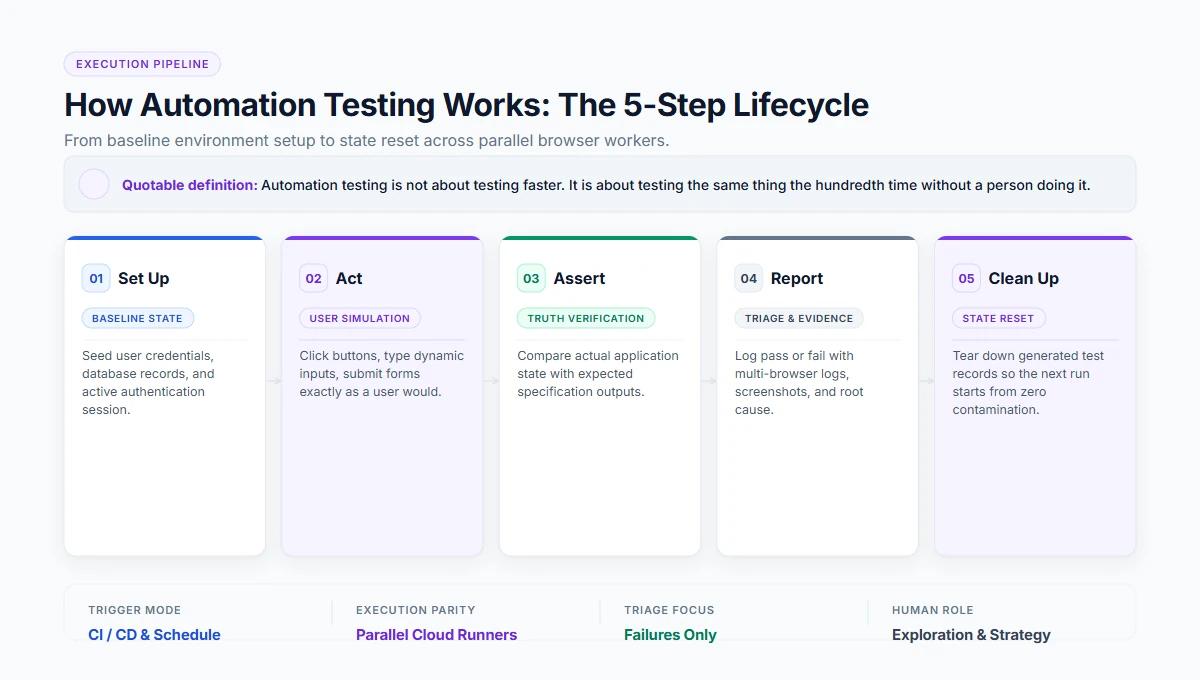
Automation testingis the use of software to run tests and check results, instead of a person performing the steps by hand. A tool executes predefined steps against the application, compares what happened with what was expected, and reports pass or fail. It is used for checks that repeat — regression, smoke tests and cross-browser runs — where a person adds no judgement.
How automation testing works
Every automated test, whatever the tool, follows the same shape:
Set up the starting state
Seed or verify a user, a test database record, or an active logged-in session baseline.
Act
Click, type, navigate, submit, exactly as a real human user would in the application.
Assert
Compare the actual browser/API result against what was strictly specified and expected.
Report
Log pass, fail, step timing, screenshots, and the root-cause evidence for failure triage.
Clean up
Tear down generated records and reset state so the next run starts from a known baseline.
Quotable definition
“Automation testing is not about testing faster. It is about testing the same thing the hundredth time without a person doing it.”
Types of automation testing
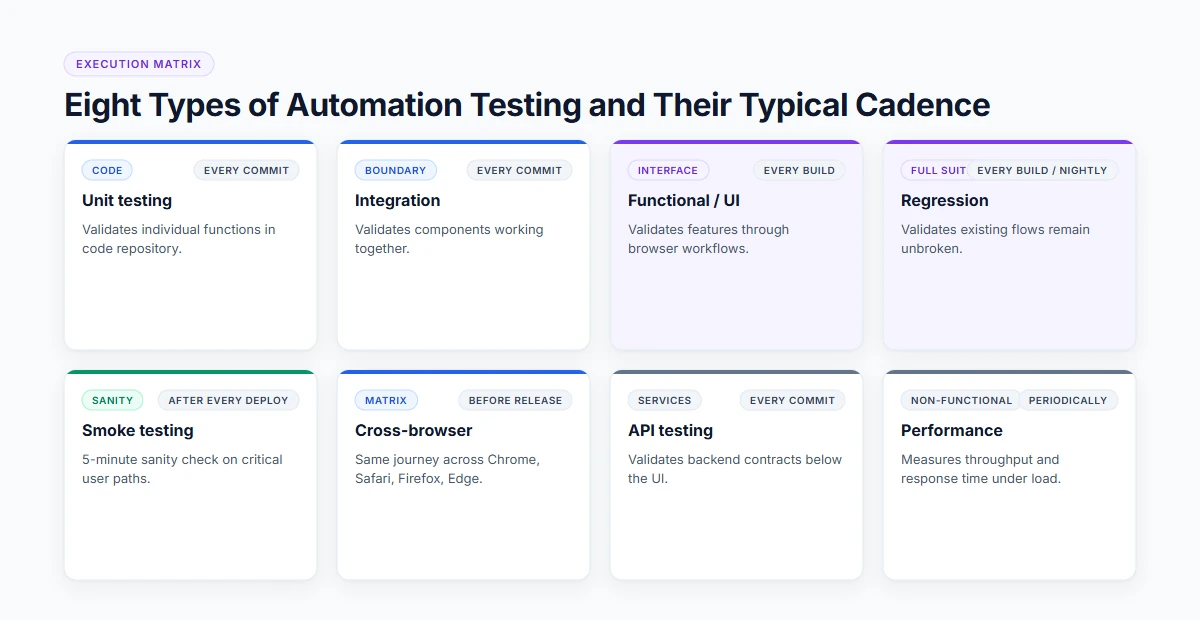
Automation operates at distinct layers of the software architecture, each with its own trigger cadence and verification scope.
| Type | What it automates | Typical frequency |
|---|---|---|
UnitCode | Individual functions | Every commit |
IntegrationBoundary | Components working together | Every commit |
Functional / UIInterface | Features through the interface | Every build |
RegressionFull suite | Everything that must keep working | Every build or nightly |
SmokeSanity gate | Is the build usable at all | After every deployment |
Cross-browserMatrix | Same journey on many browsers and devices | Before release |
APIService | Services directly, below the UI | Every commit |
PerformanceNon-functional | Behaviour under load | Periodically |
The benefits, stated honestly
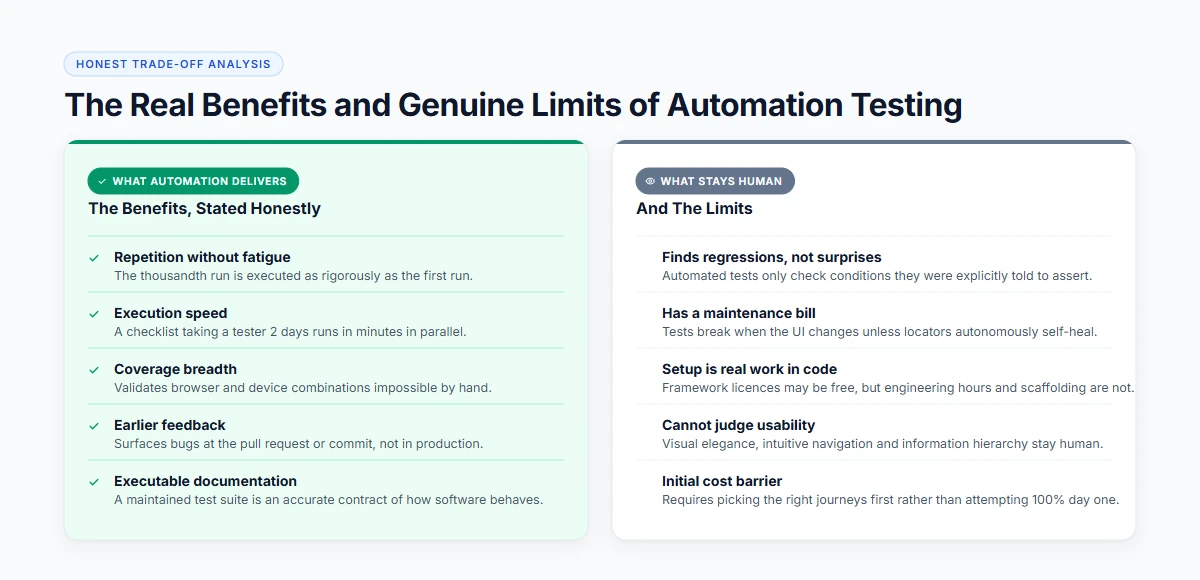
Automation transforms release velocity when deployed correctly, but it is not a silver bullet. Understanding both sides prevents costly disillusionment.
The Real Benefits
- Repetition without fatigue. The thousandth run is executed as carefully as the first.
- Speed. A pack that takes a tester two days runs in minutes, in parallel.
- Coverage breadth. Browser and device combinations no team could check by hand.
- Earlier feedback. Failures surface at the commit, not at the release.
- Documentation by side effect. A maintained suite is an executable description of how the product behaves.
And The Limits:
- It finds regressions, not surprises. Automated tests check only what they were explicitly told to check.
- It has a maintenance bill. Tests break when the UI changes, unless the tool heals them.
- Setup is real work in a code framework. The licence may be free, the engineering time is not.
- It cannot judge. Usability, visual hierarchy, and intuitive feel stay human.
What to automate first
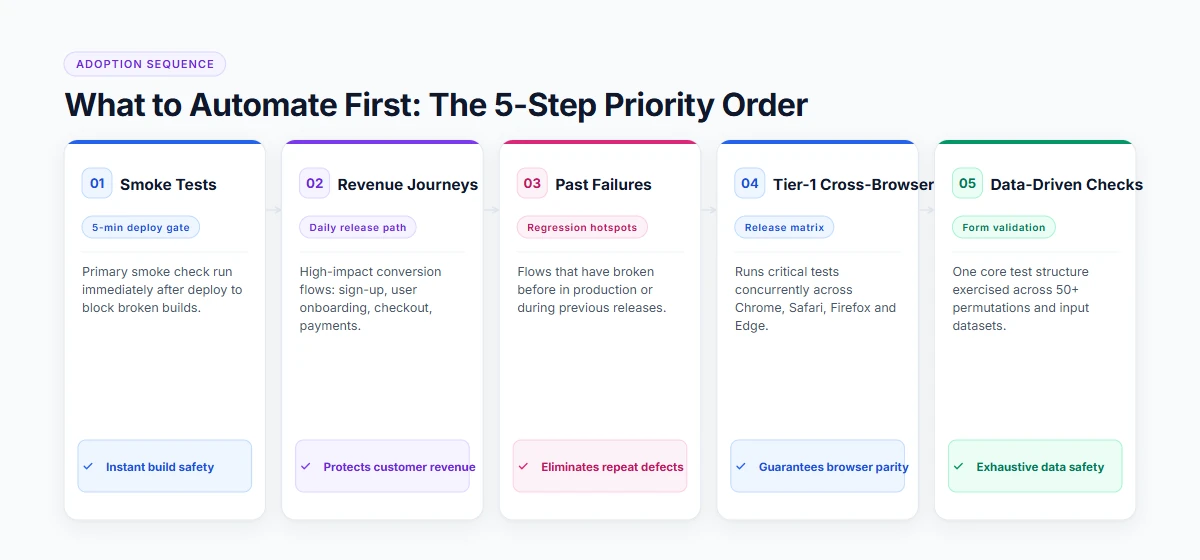
Do not try to automate your entire product backlog on day one. Focus investment where failure causes customer harm:
Smoke tests
5-minute checkThe five-minute check after each deploy to verify basic application health.
Revenue journeys
Core pathsSign-up, checkout, subscription upgrade, and primary payment flows.
Past failures
Regression hot-spotsFlows that have broken before in previous production releases.
Cross-browser checks
Tier-1 browsersExecuting journeys across Chrome, Safari, Firefox and Edge viewports.
Data-driven checks
ParameterizedOne core test exercising fifty dynamic input permutations.
How to start without a framework project
Build a Code Framework
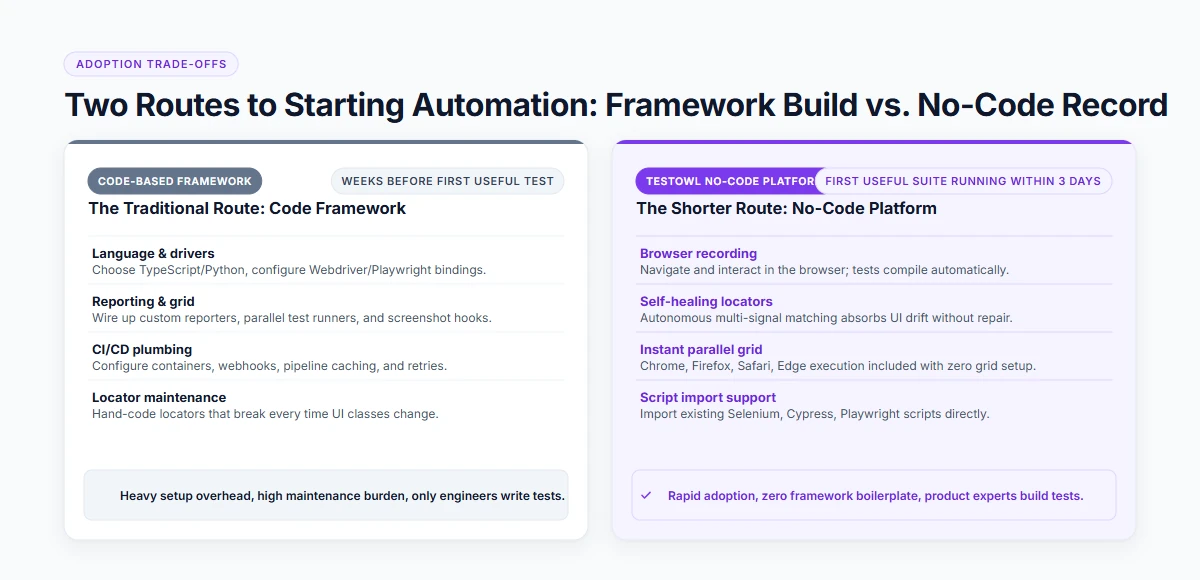
The traditional route is to build a framework: choose a language, wire up drivers, add reporting and CI, then write tests. That is weeks of work before the first useful test.
A No-Code Platform
The shorter route is a no-code platform: record the journey in the browser, and the tool produces a structured test with self-healing locators. Teams without automation engineers reach useful coverage far sooner, and existing scripts can usually be imported rather than rewritten.
Either way, the first milestone is the same: one journey, running automatically on every build, with someone named to own it.
Where TestOwl fits
TestOwl is an AI-native, no-code test automation platform for web applications. Record a journey once in the browser; TestOwl runs it in parallel across Chrome, Firefox, Safari and Edge and 30+ device profiles, heals it when the UI changes, and explains the root cause when a test genuinely fails. Selenium, Cypress and Playwright scripts can be imported, and it runs in the cloud or on-premise.
Teams are typically running their first suites within 3 days.
Key takeaways
- Automation testing runs predefined checks in software instead of by hand.
- Every automated test sets up, acts, asserts, reports and cleans up.
- It finds regressions, not surprises — exploration stays human.
- Start with smoke tests and revenue journeys, not with everything.
- The maintenance bill, not the creation cost, decides whether it pays back.
Related resources
Frequently Asked Questions
Automation testing is the use of software to run tests and check results instead of a person performing the steps manually. A tool executes predefined steps, compares the outcome against the expected result, and reports pass or fail, usually triggered by a build or a schedule.
It is the practice of automating the repeatable checks inside a wider test strategy — unit, integration, functional, regression, smoke, cross-browser and API tests — while exploratory and usability testing remain manual.
Unit, integration, functional or UI, regression, smoke, cross-browser, API and performance testing. They differ in what they touch and how often they run, from every commit to periodically.
Consistent repetition, faster feedback, broader browser and device coverage, and earlier detection of regressions. The trade-off is the effort to create tests and keep them working as the interface changes.
Code-based frameworks require programming and setup, so the learning curve is real. No-code platforms remove both: a tester records a journey in the browser and the platform builds the test, so product knowledge matters more than programming.
Pick one journey that matters and breaks often, automate it, run it on every build, and give it an owner. Expand one journey at a time rather than attempting full coverage in a single project.