Functional Testing
What functional testing covers, how it differs from non-functional testing, and which parts are worth automating.
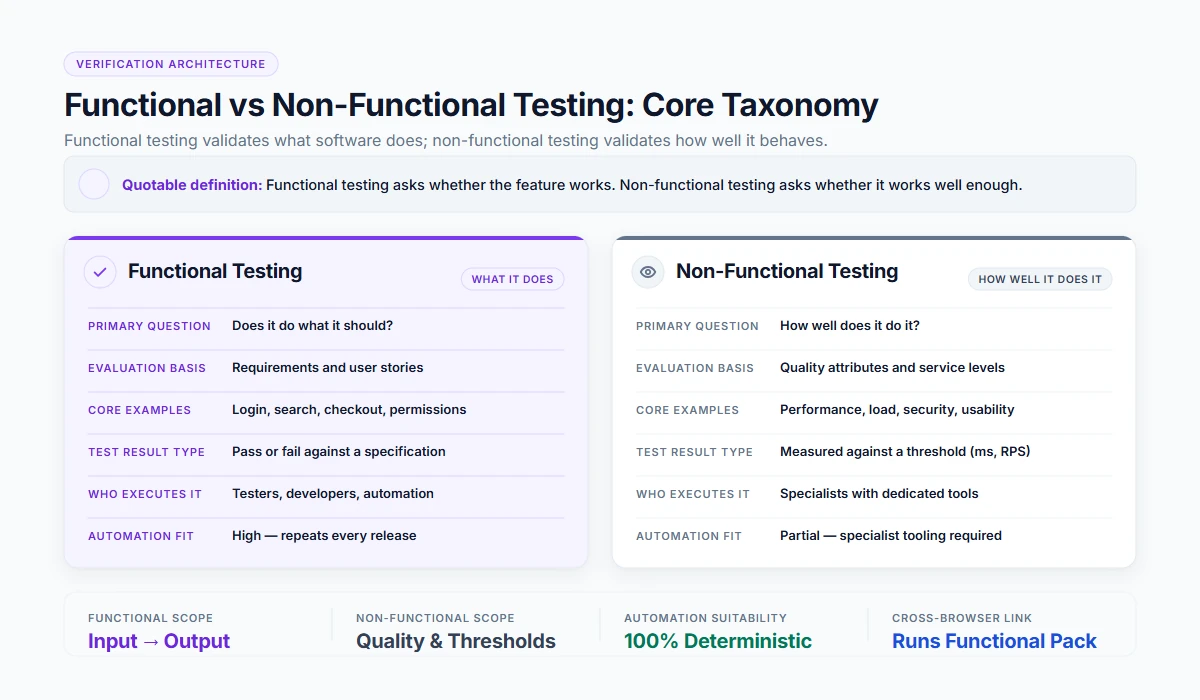
Functional testing checks what a system does: given an input, does it produce the specified output? Non-functional testing checks how well it does it — speed, load, security, usability and compatibility. A login test that confirms valid credentials grant access is functional; a test that confirms login responds within two seconds under 1,000 users is non-functional.
Functional vs non-functional testing
Every software test answers one of two fundamental questions. Understanding the boundary prevents teams from confusing specification validation with performance profiling.
Quotable definition
“Functional testing asks whether the feature works. Non-functional testing asks whether it works well enough.”
| Dimension | Functional testing | Non-functional testing |
|---|---|---|
| Question | Does it do what it should? | How well does it do it? |
| Based on | Requirements and user stories | Quality attributes and service levels |
| Examples | Login, search, checkout, permissions | Performance, load, security, usability, compatibility |
| Result | Pass or fail against a specification | Measured against a threshold |
| Who runs it | Testers, developers, automation | Specialists with dedicated tools |
| Automation fit | High — repeats every release | Partial — specialist tooling |
Types of functional testing
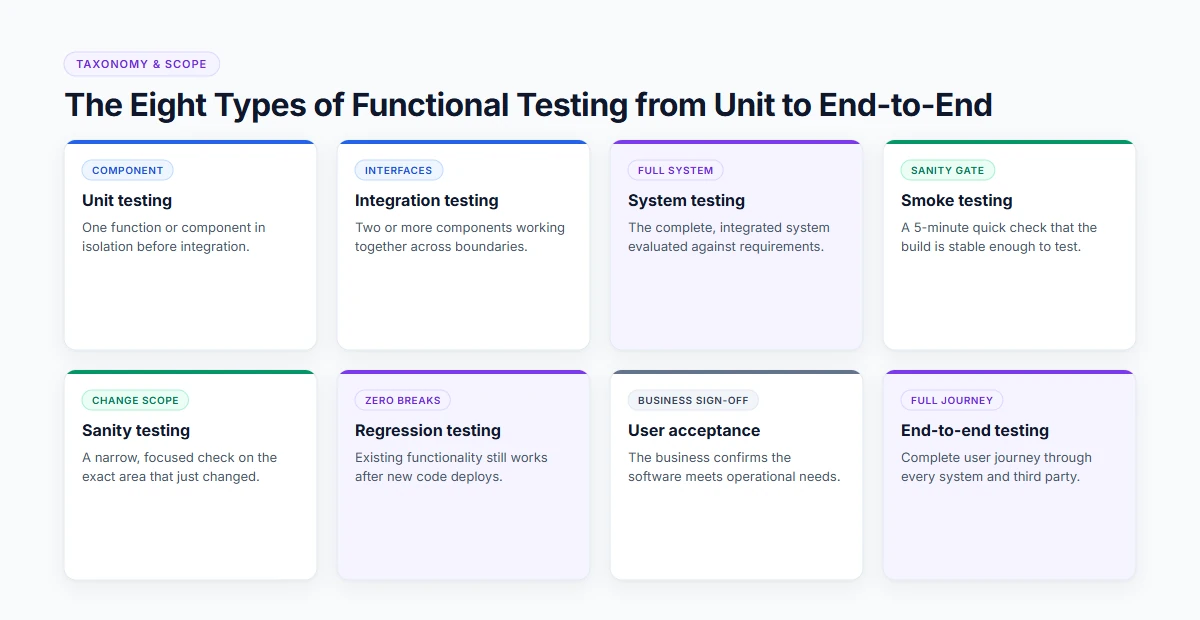
Functional tests span every level of abstraction — from a single isolated code function up to a multi-service transaction executed across third-party providers.
Unit testing
One function or component in isolation
Integration testing
Two or more components working together
System testing
The complete, integrated system against requirements
Smoke testing
A quick check that the build is stable enough to test
Sanity testing
A narrow check on the area that just changed
Regression testing
Existing functionality still works after a change
User acceptance testing
The business confirms the system meets its need
End-to-end testing
A complete user journey through every system involved
What a functional test looks like
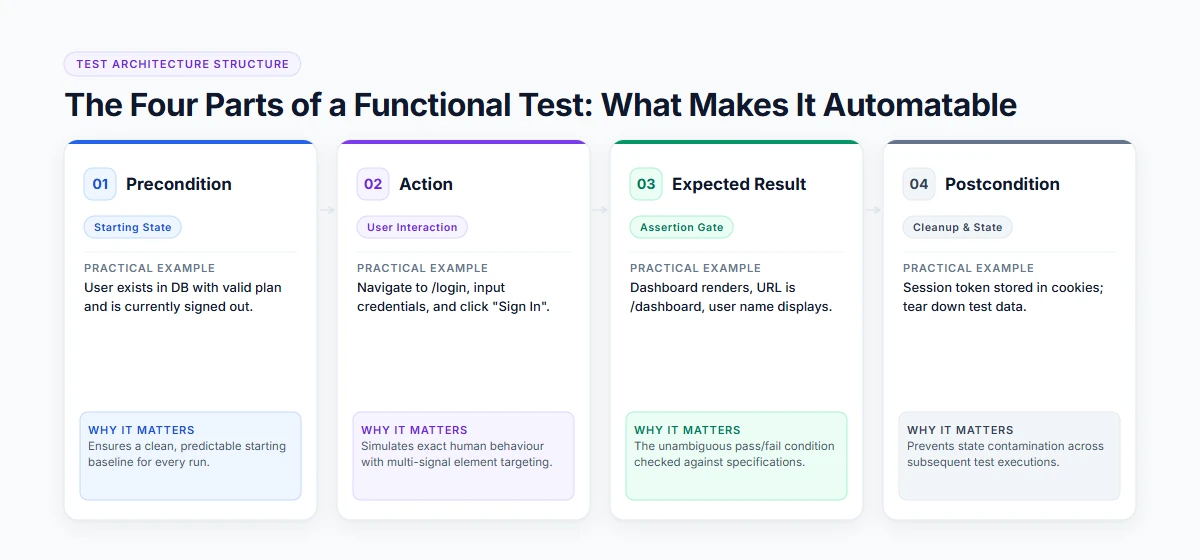
A functional test has four parts, and writing them in this shape is what makes a test automatable later:
Precondition
The user exists and is not logged in.
Action
Enter valid credentials and submit.
Expected result
The dashboard loads and the user's name appears.
Postcondition
The session is active; clean up afterwards.
Examples across a typical product:
A search query returns exact matching database records.
An invalid payment card is rejected with a clear, specific message.
A manager role can see reporting dashboards that an analyst cannot.
A saved multi-step form still holds identical values after a page refresh.
How much of it should be automated
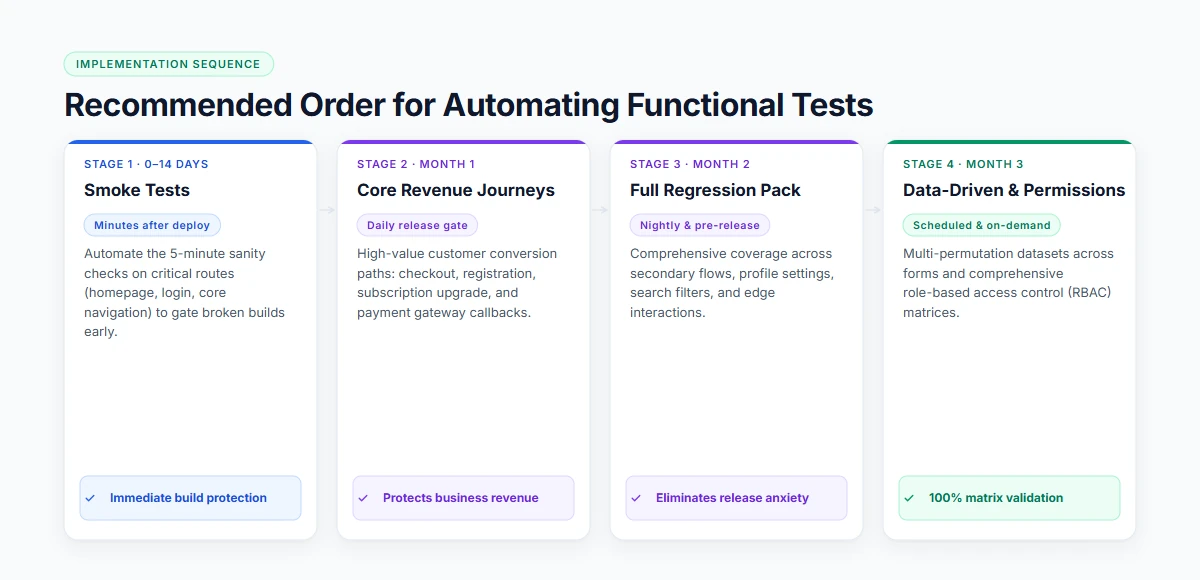
Functional testing is the most automatable category, because the expected result is defined in advance. A practical order:
Smoke tests
Minutes after each deployThe immediate build verification gate that ensures primary routes render and authentication works.
Core journeys
The revenue pathsSign-up, checkout, subscription upgrade, and key user workflows that directly impact business operations.
Regression pack
Everything that must keep workingBroad regression coverage across the web app executed automatically before release candidates deploy.
Data-driven checks
One test, many input setsForm validation, dynamic inputs, boundary testing, and parameterised datasets run at scale.
Permission matrices
Each role against each screenRole-based access verification ensuring admin, manager, member and guest accounts see appropriate interfaces.
Leave manual:
Automating these either produces excessive locator churn or wastes automation engineering bandwidth on non-deterministic requirements:
Aesthetics, typography, micro-spacing and brand feel.
Screens whose layout or workflow is changing daily in active sprint design.
Business sign-off by product owners rather than an automated check.
Non-functional testing, briefly
Even though it needs different tools, teams are often asked to name the types:
Where functional automation overlaps with non-functional quality:
Two of these overlap with functional automation:
Compatibility Testing
Runs the exact same recorded functional tests across Chrome, Safari, Firefox and Edge viewports and mobile device profiles simultaneously.
Accessibility Testing
Can be partly automated alongside functional journeys by validating WCAG colour contrast, ARIA landmarks, and keyboard tab order on every screen.
Where TestOwl fits
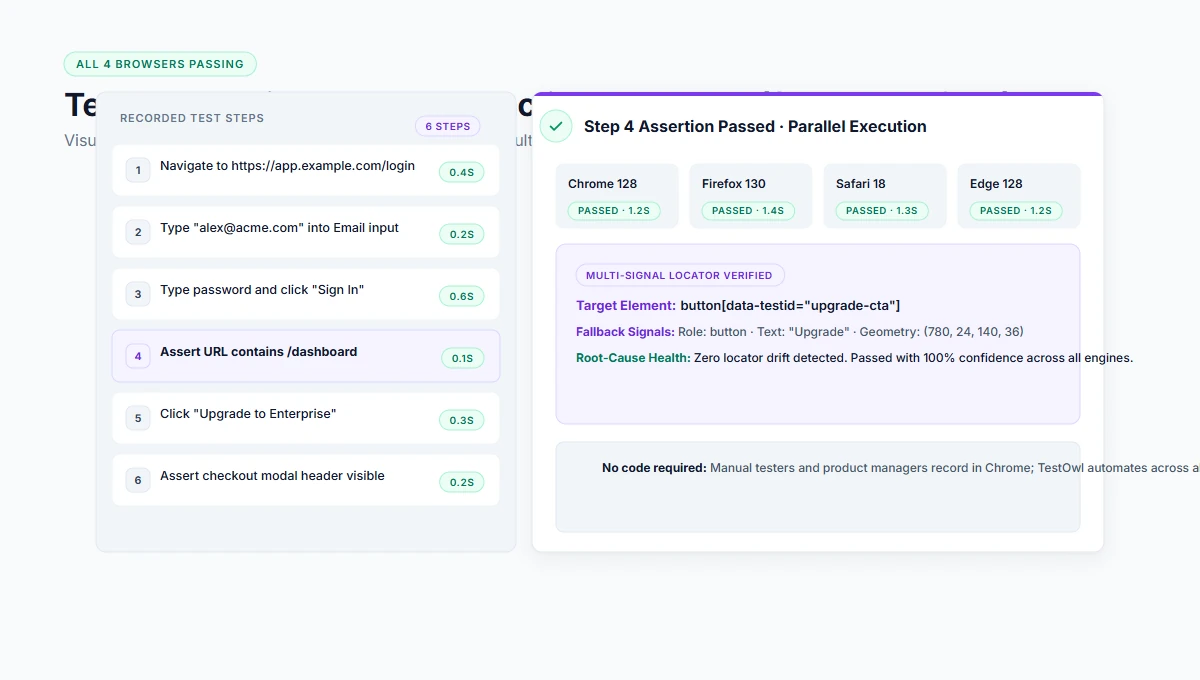
TestOwl automates functional testing for web applications without code. Record the journey once, and the test runs across Chrome, Firefox, Safari and Edge and 30+ device profiles — which also covers the compatibility side of non-functional testing from the same suite. Tests heal when the UI changes, and failures come with a root-cause explanation rather than a stack trace.
Because tests are built by recording, the people who already know the requirements — testers, analysts, product owners — can build them without waiting for an automation engineer.
Key takeaways
- Functional testing checks what the system does; non-functional checks how well.
- The main functional types run from unit and integration up to system, regression and UAT.
- Write tests as precondition, action, expected result, postcondition — it makes them automatable.
- Functional testing is the most automatable category; start with smoke and revenue journeys.
- Compatibility testing can run from the same automated functional suite.
Related resources
Frequently Asked Questions
Functional testing checks that a system does what its requirements say: given a specific input and state, it produces the specified output. Login, search, checkout and permission checks are all functional tests, and each has a defined pass or fail result.
Functional testing checks what the system does against its requirements. Non-functional testing checks how well it does it — performance, load, security, usability and compatibility — measured against thresholds rather than a specification.
Unit, integration, system, smoke, sanity, regression, user acceptance and end-to-end testing. They differ in scope, from a single function up to a complete user journey across every system involved.
Entering valid credentials on a login page and confirming the dashboard loads with the correct user name. The test has a precondition, an action, an expected result and a postcondition, which is what makes it repeatable and automatable.
Both. It is the most automatable category because the expected result is known in advance, so smoke tests, core journeys and regression packs are usually automated, while user acceptance testing and visual judgement stay manual.
Non-functional testing measures qualities rather than features: performance, load, stress, scalability, security, usability, compatibility, reliability and accessibility. It normally needs specialist tools, though compatibility can be covered by running functional tests across browsers and devices.