QA Automation Tools
The five jobs a QA tool stack has to cover, and how to avoid paying twice for the same one.
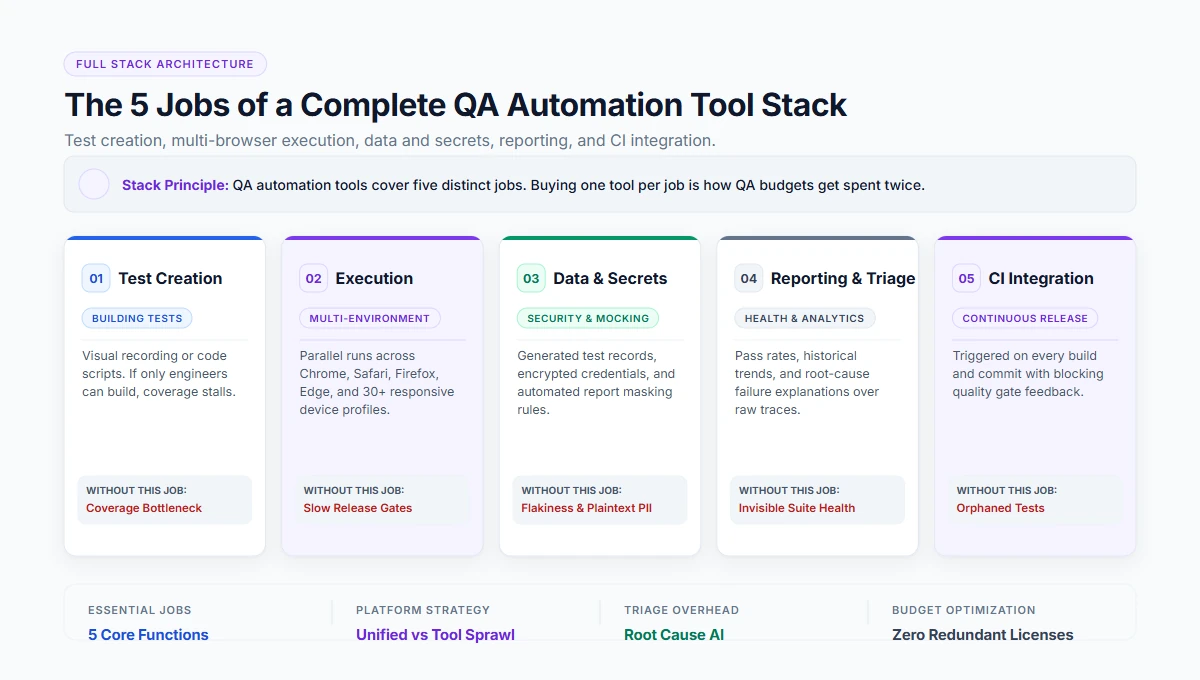
QA automation tools are the software a quality team uses to create, run, manage and report automated tests. A complete stack covers five jobs: test creation, test execution across environments, test data and credentials, reporting and triage, and CI integration. Some platforms cover several jobs; buying one tool per job is how QA budgets get spent twice.
What QA automation actually means
QA automation is the practice of automating quality checks so that a team can verify a release without repeating the same manual pass every time.
Broader Operational Context
“It is broader than ‘test automation’ in everyday use: it includes test management, environment handling, data setup and reporting — the work around the tests, which is usually what makes or breaks a programme.”
Test Automation (Narrow Check)
Writing test scripts that execute actions against an interface or API and assert expected outcomes. Focuses purely on test execution steps.
QA Automation (Complete System)
The end-to-end quality pipeline: visual authoring, parallel browser grids, test data mocking, credential vaults, CI build gates, and root-cause failure triage.
The five jobs a QA tool stack must cover
Every mature QA automation setup requires solutions for these five core disciplines. Omitting any one introduces critical operational failure modes.
| Job | What it means | What happens without it |
|---|---|---|
1Test creation | Building tests, by recording or in code | Only engineers can contribute; coverage stalls |
2Execution | Running across browsers, devices and environments, in parallel | Suites too slow to run every release |
3Data and secrets | Generated test data, encrypted credentials, masked values | Flaky tests and credentials in plain text |
4Reporting and triage | Pass rates, failure causes, history | Nobody knows whether the suite is healthy |
5CI integration | Triggered on every build, results where the team looks | Tests exist but nobody runs them |
Build the stack in this order
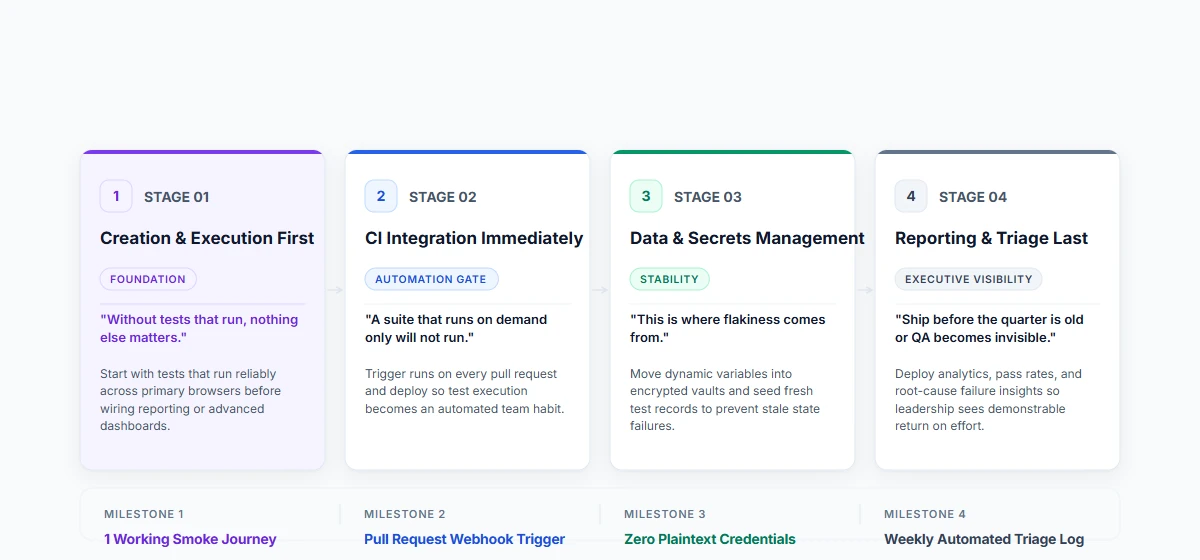
Avoid trying to configure everything on day one. Follow this sequenced blueprint to reach stable automation quickly.
Creation and execution first
“Without tests that run, nothing else matters.”
Build working, repeatable tests that run reliably across your primary browser matrix before assembling complex dashboards.
CI integration immediately after
“A suite that runs on demand only will not run.”
Wire execution into pull requests and deployment gates so quality verification becomes an automated engineering habit.
Data and secrets next
“This is where flakiness comes from.”
Move authentication credentials into encrypted vaults and generate dynamic test datasets to prevent stale state failures.
Reporting last — but before the quarter is old
“Or it becomes invisible to management.”
Deploy pass rate history and root-cause failure explanations so team leads and engineering leaders see clear ROI.
A platform that covers creation, execution, data and reporting in one product removes most of the integration work. Where a team already owns a test management or CI tool, the question is whether the new platform integrates rather than replaces.
How to evaluate a QA automation tool
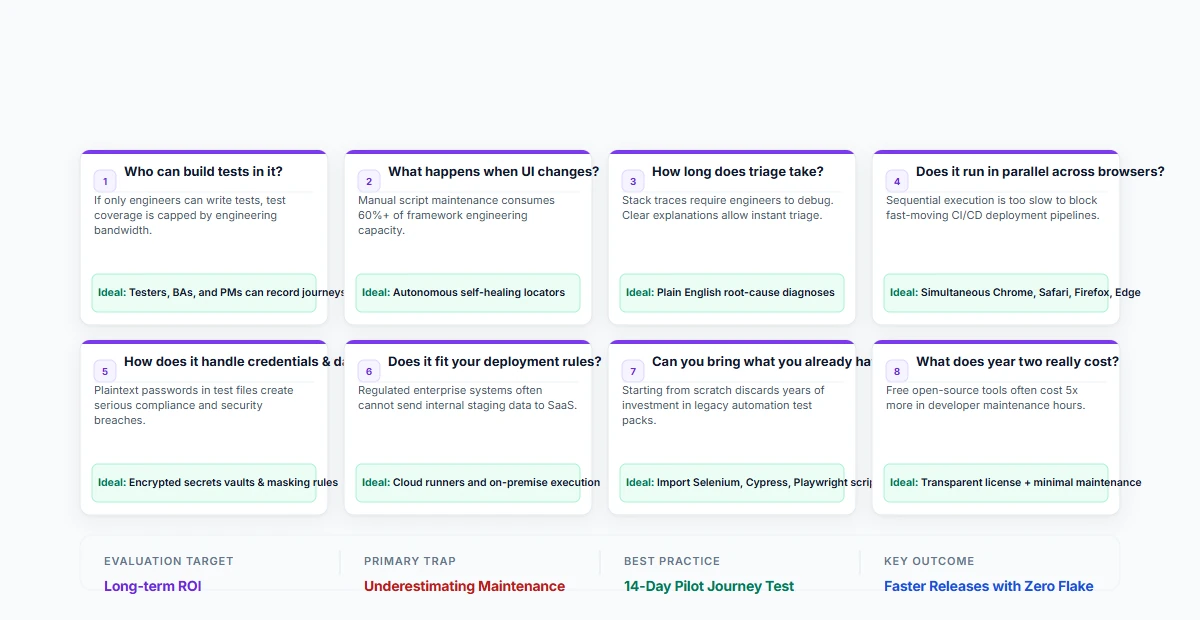
Eight essential questions to ask before selecting a platform or framework for your engineering organization.
Who can build tests in it?
If the answer is only engineers, coverage is capped by their time. A modern tool empowers testers, BAs, and product managers to record journeys.
What happens when the UI changes?
Look for autonomous self-healing with transparent audit reporting, rather than suites that break and demand manual code repairs.
How long does triage take?
Plain English root-cause explanations allow instant triage, compared to raw stack traces that require a developer to decipher.
Does it run in parallel across the browsers and devices in your matrix?
Sequential execution is too slow to block fast release cycles. It must run Chrome, Firefox, Safari, and Edge concurrently.
How does it handle credentials and sensitive data in logs and reports?
Credentials must live in encrypted vaults, and masking rules must keep sensitive customer data out of execution screenshots and logs.
Does it fit your deployment rules — cloud, or on-premise for regulated data?
Regulated teams in banking or healthcare require on-premise runners behind VPN firewalls alongside scalable cloud execution.
Can you bring what you already have?
Ensure you can import existing Selenium, Cypress, or Playwright scripts rather than throwing away years of previous automation work.
What does year two cost — subscription plus the maintenance time it does not remove?
Open-source tools appear free upfront but incur hundreds of hours in framework maintenance. Factor total cost of ownership.
Signs a QA tool stack is not working
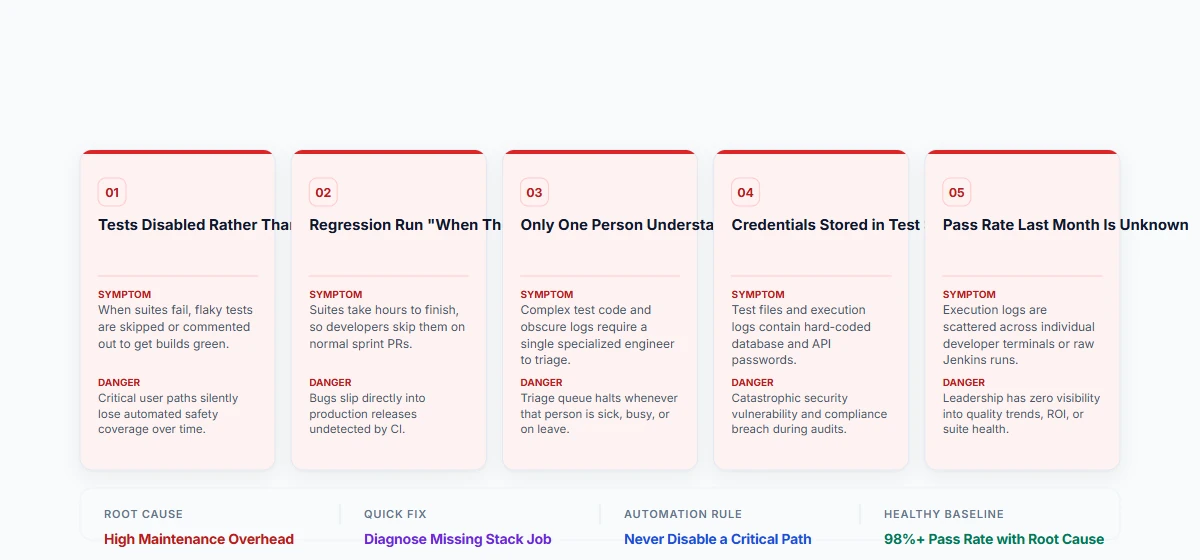
If your team exhibits any of these symptoms, the issue is usually an incomplete stack or unsustainable maintenance overhead.
1. Tests are disabled rather than fixed
When tests fail, flaky checks are commented out to get builds green, quietly eroding quality coverage.
2. The regression pack is run "when there is time"
Suites take too long or require too much manual intervention, so deployments proceed without verification.
3. Only one person can explain a failure
Tribal knowledge bottlenecks halt triage whenever that specific automation engineer is unavailable.
4. Credentials live in the test steps
Passwords and API tokens stored in plain text create critical security and compliance vulnerabilities in reports.
5. Nobody can say what the pass rate was last month
Without centralised reporting and trend analytics, leadership has zero visibility into test suite health or ROI.
Where TestOwl fits
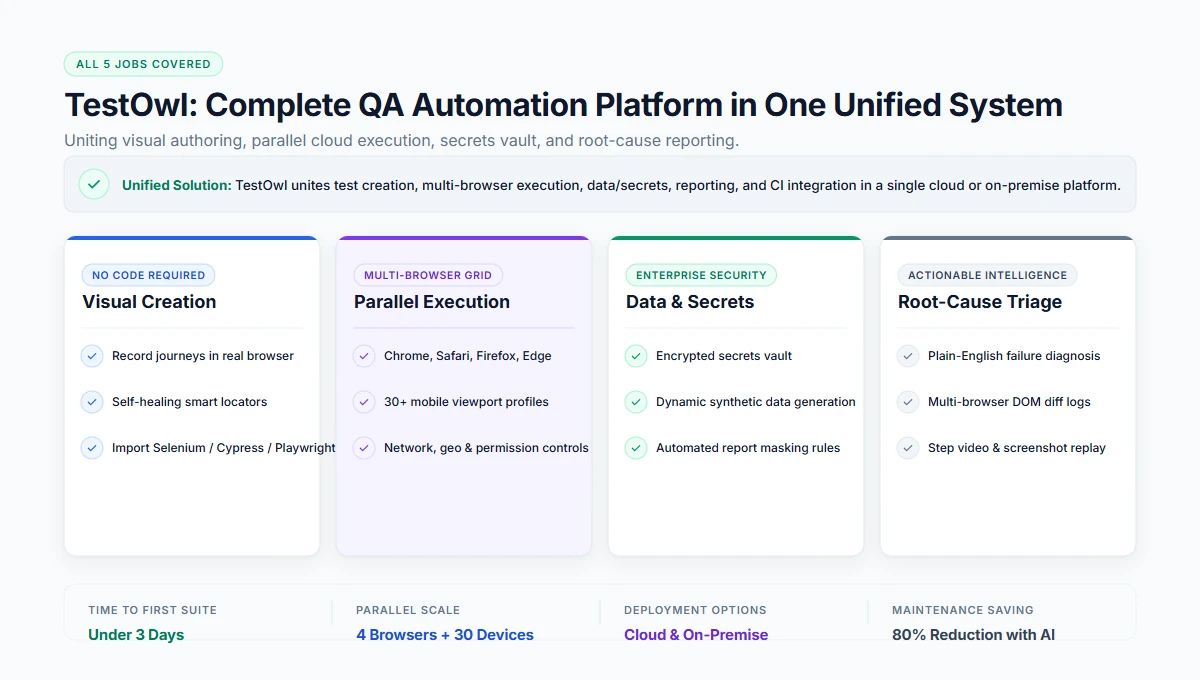
TestOwl covers creation, execution, data and reporting for web application testing in one platform:
- Creation — record a journey in the browser; no code required, so testers and analysts build tests.
- Execution — parallel runs across Chrome, Firefox, Safari and Edge plus 30+ device profiles, with environment control over viewport, network, location, locale and permissions.
- Data and secrets — generated test data, encrypted Secrets, and Masking Rules that keep sensitive values out of reports and logs.
- Reporting — run history and root-cause explanations rather than raw stack traces.
- CI and deployment — triggered runs, cloud or on-premise.
- Migration — import existing Selenium, Cypress and Playwright scripts.
Key takeaways
- A QA tool stack has five jobs: creation, execution, data, reporting and CI.
- Programmes stall on data, environments and reporting more often than on tests.
- Build in order: creation and execution, CI, data, reporting.
- If only engineers can build tests, coverage is capped by their availability.
- Diagnose a failing stack by which of the five jobs is missing, before replacing tools.
Related resources
Frequently Asked Questions
QA automation tools are the software a quality team uses to create, run, manage and report automated tests. A complete stack covers test creation, execution across environments, test data and credentials, reporting and triage, and integration with CI.
QA automation is the practice of automating quality checks so a release can be verified without repeating a manual pass every time. It includes the work around the tests — environments, data and reporting — not only the tests themselves.
Most teams combine a test creation and execution platform, a CI server, a test management or issue tracker, and specialist tools for performance and security. Platforms that cover creation, execution, data and reporting reduce the number of integrations.
Code-based frameworks do. No-code platforms do not: tests are built by recording a journey in the browser, which lets manual testers and analysts create automation without learning a framework.
Check who can build tests in it, what happens when the UI changes, how quickly failures can be triaged, whether it runs your browser matrix in parallel, how it handles credentials, whether it meets your deployment rules, and whether existing scripts can be imported.
Open-source frameworks have no licence cost but require engineering time for setup and maintenance. Commercial platforms are subscription-based — TestOwl's plans run from $300 to $1,999 a month depending on plan and team size — and remove most of the maintenance work.