Web Application Testing
What to test in a web app before every release — and which parts should never be done by hand twice.
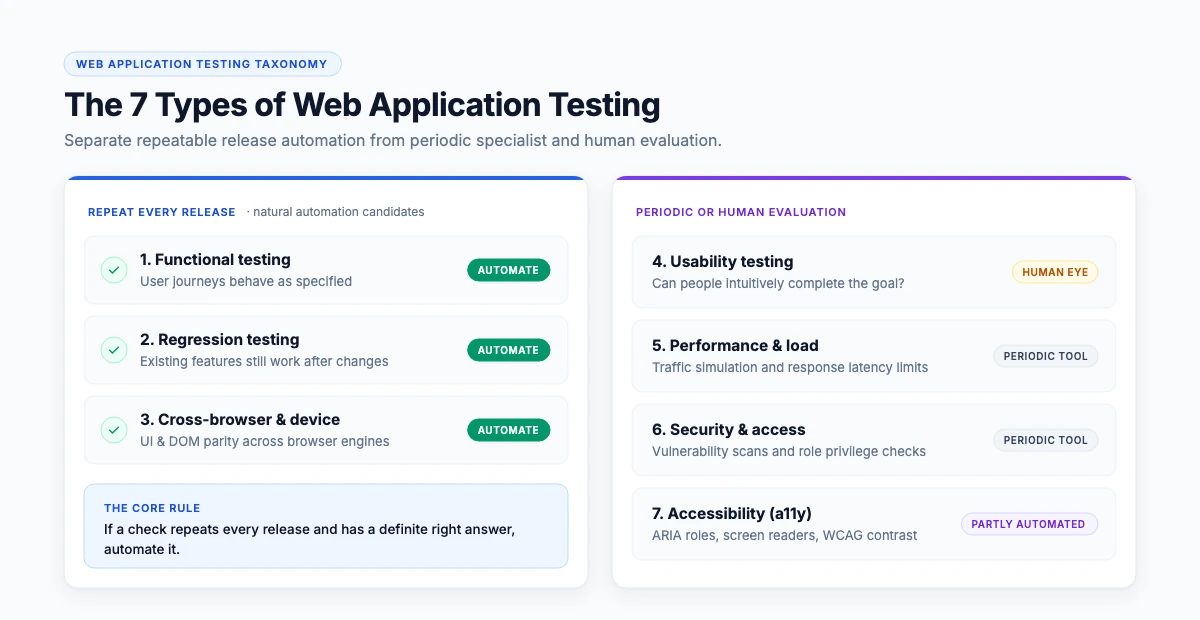
Web application testing is the process of checking that a browser-based application works correctly, on every browser and device its users have, at acceptable speed and security. It covers functional testing, compatibility, usability, performance and security. In a release cycle, the functional and compatibility parts are repeated every time — which is why they are the parts worth automating.
The types of web application testing
| Type | What it checks | Repeated every release? |
|---|---|---|
| Functional | Features behave as specified | Yes — automate |
| Regression | Existing features still work after a change | Yes — automate |
| Cross-browser and device | Same behaviour on every browser and viewport | Yes — automate |
| Usability | Whether people can actually complete the task | No — human |
| Performance | Response under load | Periodically — specialist tool |
| Security | Vulnerabilities and access control | Periodically — specialist tool |
| Accessibility | Usable with assistive technology | Partly automatable |
“If a check is repeated every release and has a definite right answer, it should be automated. If it needs judgement, it should not.”
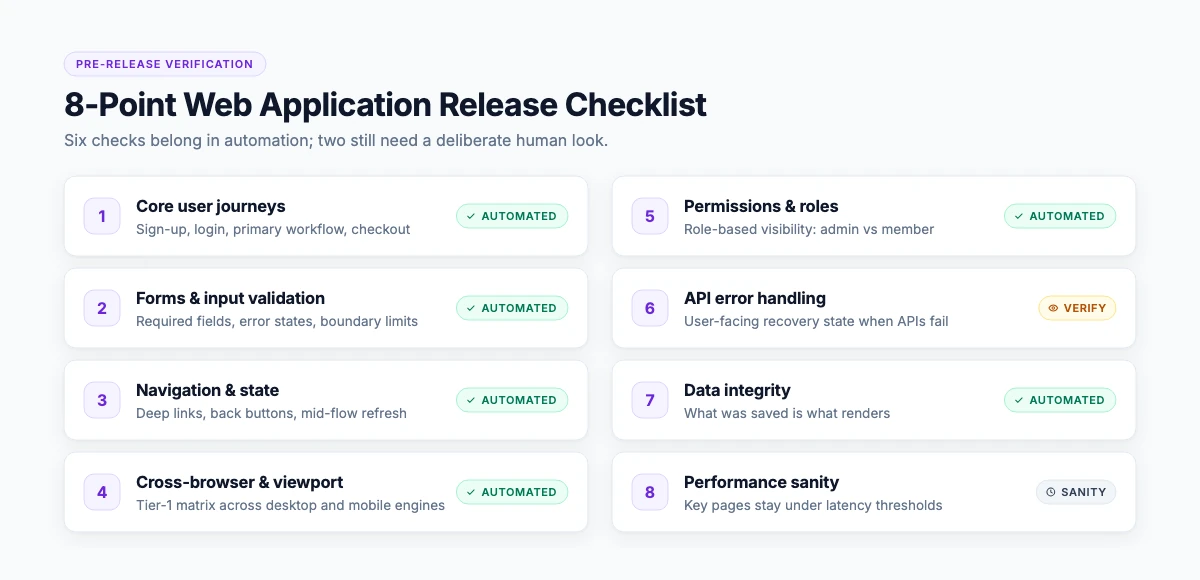
A release checklist for a web application
Run these before every release; the first four should be automated.
Core journeys
AutomateSign-up, login, the main workflow, checkout or submission.
Forms
AutomateValidation, error states, required fields, special characters, long inputs.
Navigation and state
AutomateDeep links, back button, refresh mid-flow, session timeout.
Cross-browser and viewport
AutomateYour tier-1 matrix.
Permissions and roles
What each role can and cannot see.
Error handling
What the user sees when an API fails.
Data integrity
What was saved is what comes back.
Performance sanity
Key pages under a known threshold.
What makes web apps hard to test
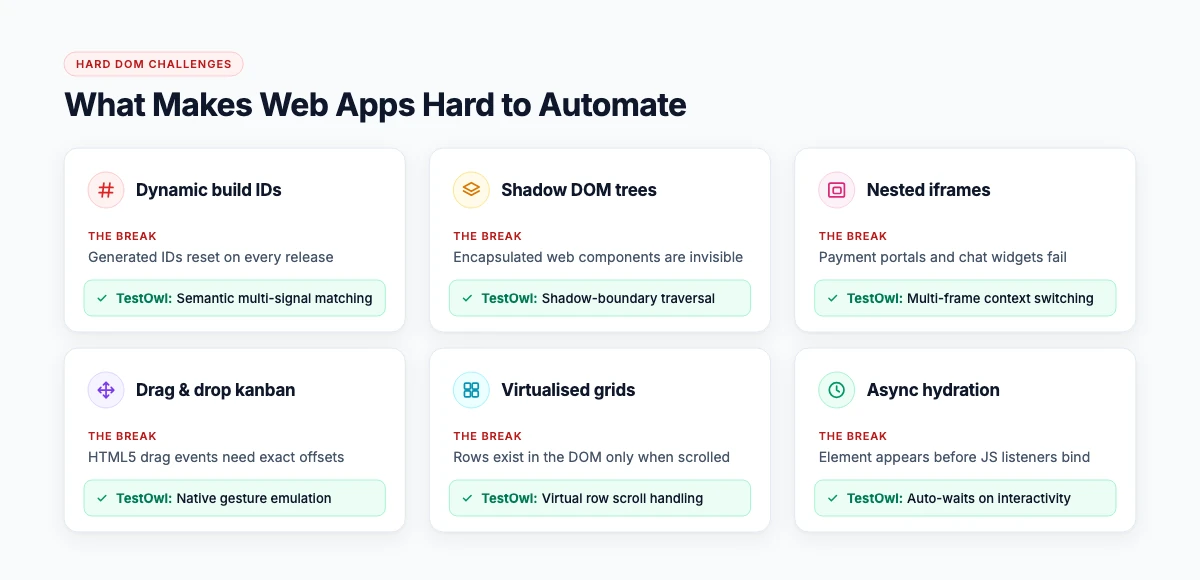
Modern web applications break naive automation in specific places, and these are worth checking in any tool trial:
Dynamic IDs
IDs that change on every build, breaking naive single-attribute selectors.
Shadow DOM components
Encapsulated styling and internal DOM trees from modern design systems.
Nested iframes
Embedded checkouts, payment modals, chat widgets, and third-party reports.
Drag-and-drop interfaces
Complex canvas elements, kanban boards, and visual form builders.
Virtualised data grids
AG Grid and similar tables where DOM rows exist only when scrolled into view.
Asynchronous loading
Elements present in the DOM tree before data bindings and click handlers hydrate.
A tool that handles these natively saves more time than any feature on a marketing page.
Manual and automated: the split that works
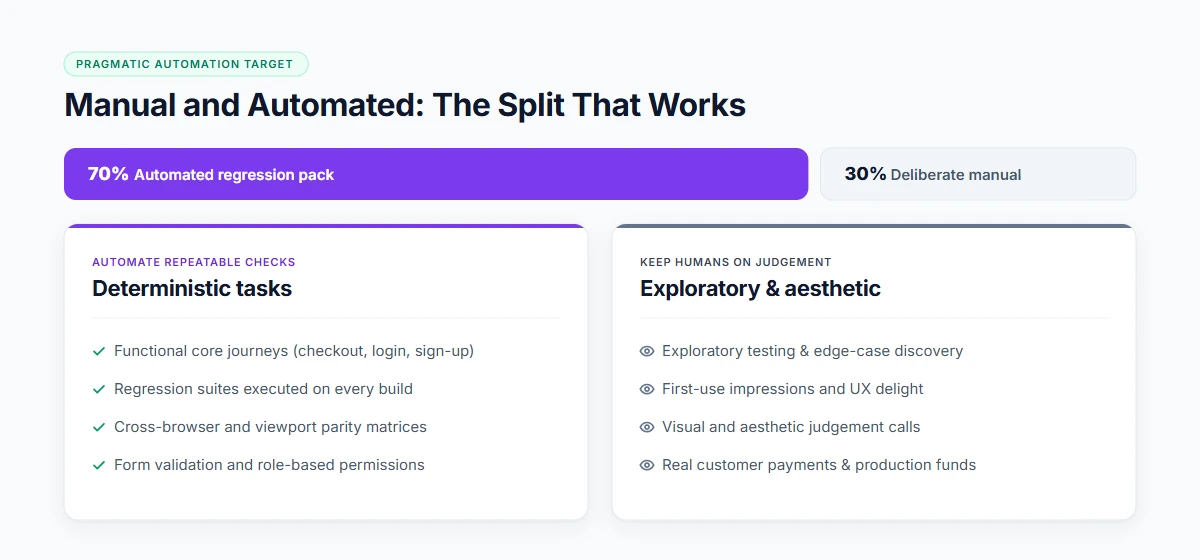
Automate the repeatable, deterministic checks: functional journeys, regression, cross-browser, form validation, role permissions. Keep humans for exploratory testing, first-use impressions, visual judgement, and anything involving a real payment or a real customer's data.
A practical target for a product shipping weekly: 60–80% of the regression checklist automated within a quarter, with the remainder deliberately manual rather than accidentally manual.
Where TestOwl fits
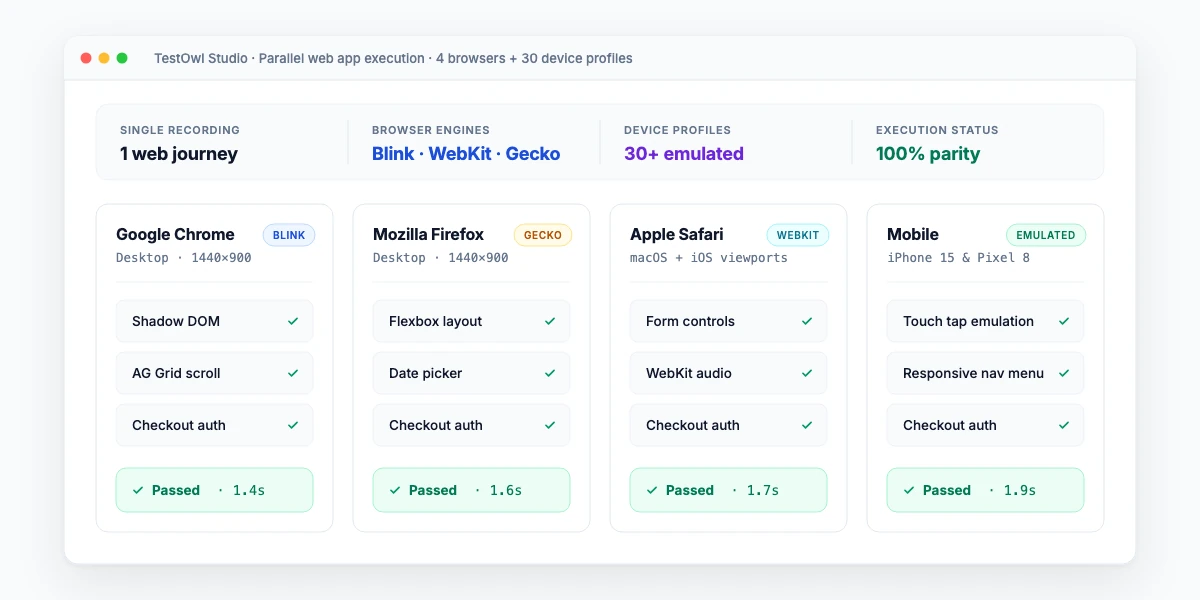
TestOwl automates the repeatable half of this list for browser applications. Record a journey once; it runs across Chrome, Firefox, Safari and Edge plus 30+ device profiles, heals itself when the UI changes, and reports the root cause of genuine failures. The awkward components above — Shadow DOM, nested iframes, drag-and-drop, data grids — are handled natively rather than with workarounds.
Environment settings cover browser, device and viewport, network, proxy and storage, location and locale, and permissions, so the same test can be run as a mobile user in one country and a desktop user in another.
Ready to stabilize your web release suite?
Run tests against your hardest screens in a pilot on your own application.
Key takeaways
- Web application testing spans functional, regression, compatibility, usability, performance and security.
- Automate what repeats and has a definite right answer; keep judgement work manual.
- The hard parts are dynamic IDs, Shadow DOM, iframes, drag-and-drop and virtualised grids.
- A release checklist beats ad-hoc testing, even before it is automated.
- Aim for a deliberate manual remainder, not an accidental one.
Related Solutions & Guides
Explore connected web QA guides, environment architectures, and testing frameworks.
Cross-Browser Testing
One recording across Chrome, Firefox, Safari, Edge, and 30+ device profiles.
End-to-End Testing (E2E)
Verify complete user journeys through the interface, backend APIs, and database.
Automated Regression Testing
Re-run core regression packs on every build without locator repair overhead.
No-Code Test Automation
Record browser journeys once into resilient, self-healing automated suites.
Standards & Documentation
- MDN Web Docs: Browser Compatibility & Web APIs— Official Mozilla Developer Network reference for cross-engine JavaScript APIs and DOM behavior.
- W3C Web Content Accessibility Guidelines (WCAG)— Global accessibility standards for digital forms, screen readers, and ARIA attributes.
- TestOwl Documentation: Environments & Viewports— Configuring network throttles, proxies, geolocation, and device profiles.
Frequently Asked Questions
Web application testing is checking that a browser-based application works correctly across the browsers and devices its users have, at acceptable speed and security. It covers functional, regression, compatibility, usability, performance and security testing.
The main types are functional, regression, cross-browser and device, usability, performance, security and accessibility testing. Functional, regression and compatibility testing repeat every release, which makes them the natural candidates for automation.
Start with a written checklist of core journeys, forms, navigation and roles. Run it manually once to confirm it is right, then automate the repeatable parts so every release re-runs them, and keep exploratory testing for what judgement catches.
Open-source browser frameworks such as Selenium, Cypress and Playwright, no-code platforms such as TestOwl, cloud device labs, plus separate tools for performance and security. Most teams combine two or three.
No. Functional, regression and compatibility checks automate well. Usability, first-use impressions and visual judgement do not. The goal is a deliberate split, not total automation.
For one product area, a few days on a no-code platform. A full pack for a mid-sized product typically takes a quarter, built journey by journey rather than in one push.