Cross-Browser Testing
One recording, every browser your users actually have — Chrome, Firefox, Safari, Edge and 30+ device profiles.
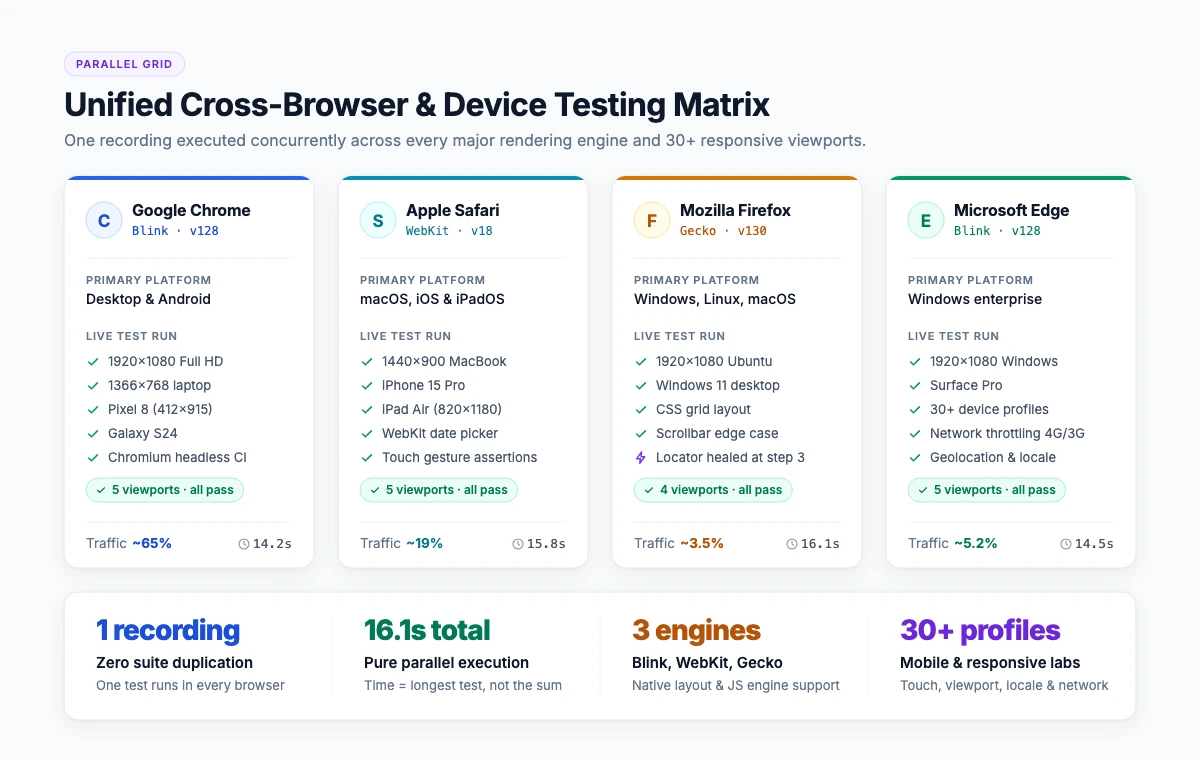
Cross-browser testing is checking that a web application behaves the same way across different browsers, versions, operating systems and screen sizes. It catches rendering differences, broken layouts, script errors and input behaviour that only appear in one engine. Compatibility testing is the wider term: it includes browsers, devices, operating systems and networks.
Why browsers still behave differently
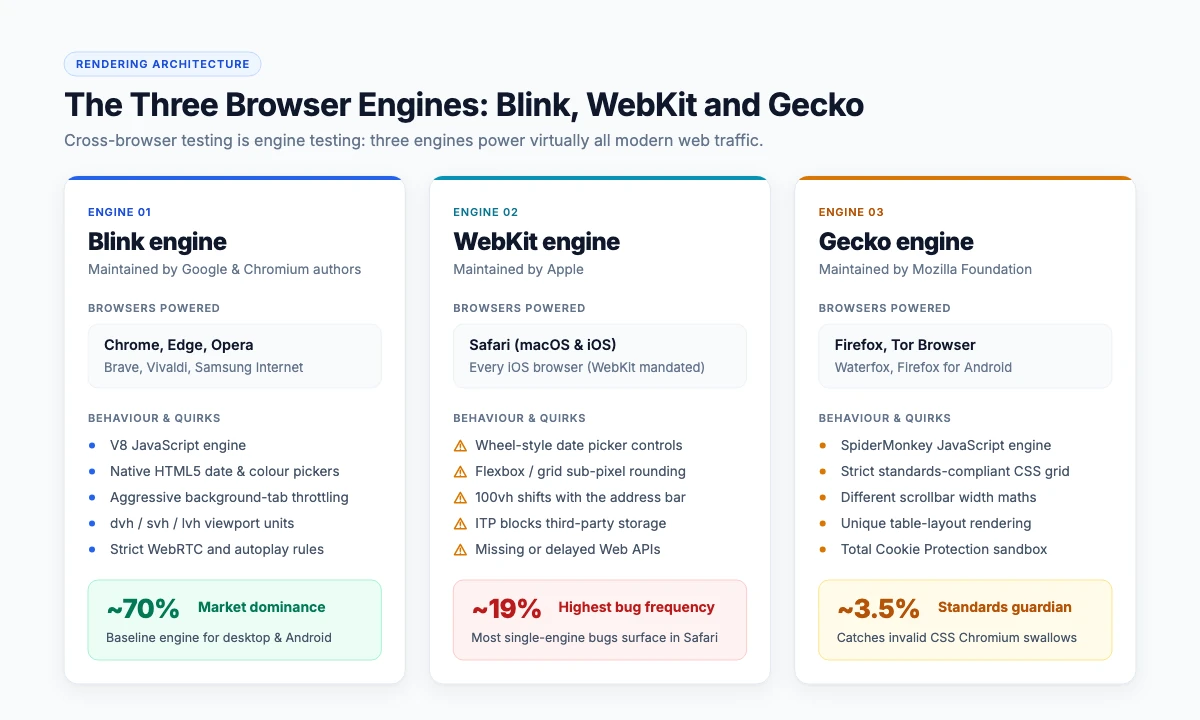
Chrome and Edge share the Blink engine, Safari uses WebKit and Firefox uses Gecko. Three engines means three implementations of layout, form controls, date inputs, fonts, video codecs and newer CSS. Add the versions your users have not updated, mobile viewports and OS-level differences, and the number of real combinations becomes the reason this is automated rather than checked by hand.
The differences that break production most often:
- Layout and CSS — flexbox and grid edge cases, viewport units, scrollbar behaviour.
- Form controls — date and file pickers render and behave differently on Safari.
- JavaScript APIs — a feature available in one engine, absent or prefixed in another.
- Media — codec support for video and audio.
- Input — touch versus mouse, hover states that do not exist on mobile.
What to test, and where to stop
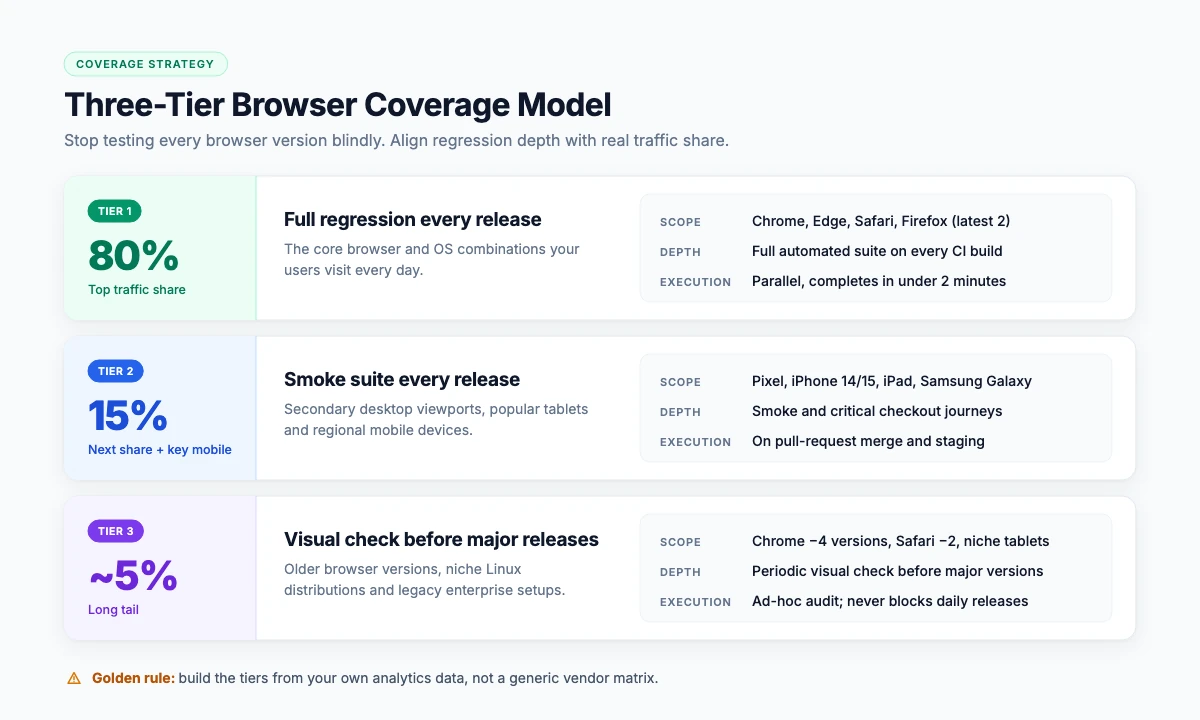
Testing every browser on every version is not a strategy; it is a way to run out of time. A defensible matrix has three tiers:
| Tier | What goes in it | Depth |
|---|---|---|
| Tier 1 | Browsers used by the top 80% of your traffic, latest two versions | Full regression suite, every release |
| Tier 2 | The next 15% and key mobile viewports | Smoke suite, every release |
| Tier 3 | Long-tail and legacy | Visual check before major releases |
Build the tiers from your own analytics, not from a generic list. A B2B product with enterprise users has a different matrix to a consumer site in India.
Manual versus automated cross-browser testing
| Dimension | Manual | Automated |
|---|---|---|
| Cost per release | Grows with every browser added | Roughly flat once built |
| Speed | Hours to days | Minutes, in parallel |
| Consistency | Varies by tester | Identical every run |
| Good at | Exploratory checks, visual judgement | Repeated regression across combinations |
| Limitation | Does not scale past a handful of combinations | Needs maintenance when the UI changes |
How automated cross-browser testing works
The maintenance trap is the same as everywhere else in test automation: locators that break on every UI change. Self-healing matters more here, because one broken locator fails the test in every environment at once.
Where TestOwl fits
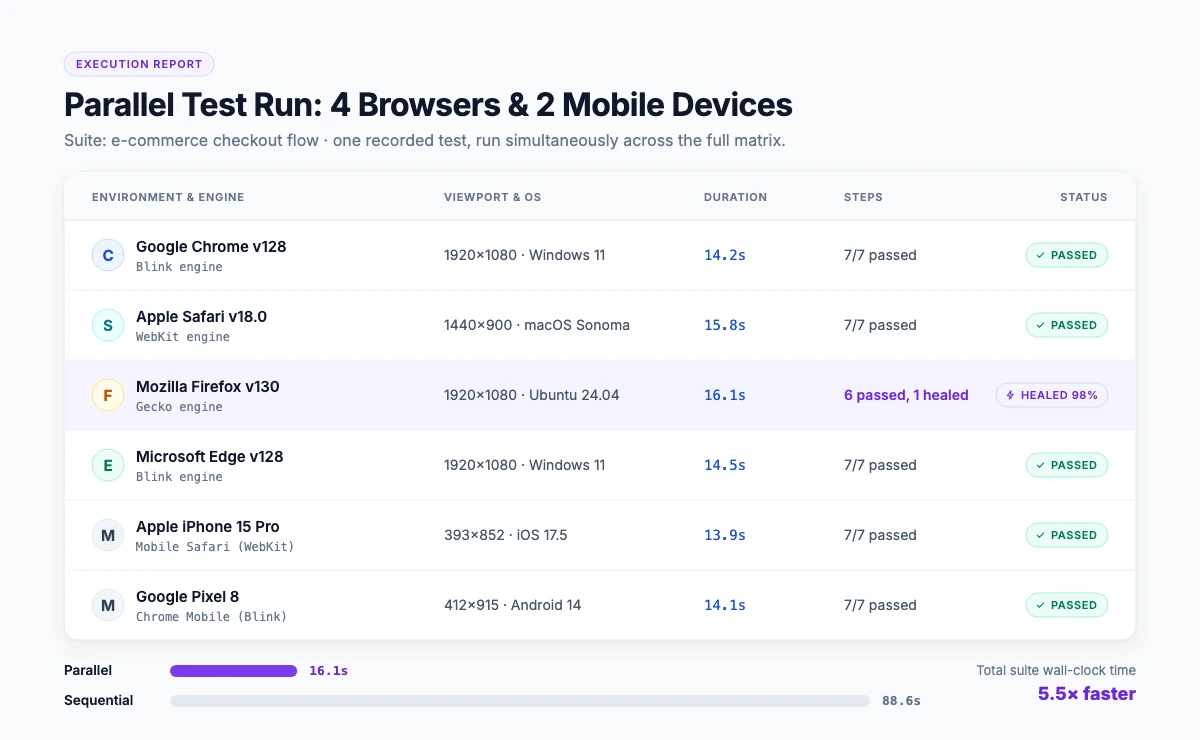
TestOwl runs one recorded journey in parallel across Chrome, Firefox, Safari and Edge plus 30+ device profiles. Environment settings cover browser, device, viewport, network and proxy, location and locale, permissions and appearance — so a test can be run as a mobile user in one region and a desktop user in another without rebuilding it.
- One test, every environment. Record once, select the matrix, run in parallel.
- Self-healing across environments. A UI change does not mean repairing the same locator in four places.
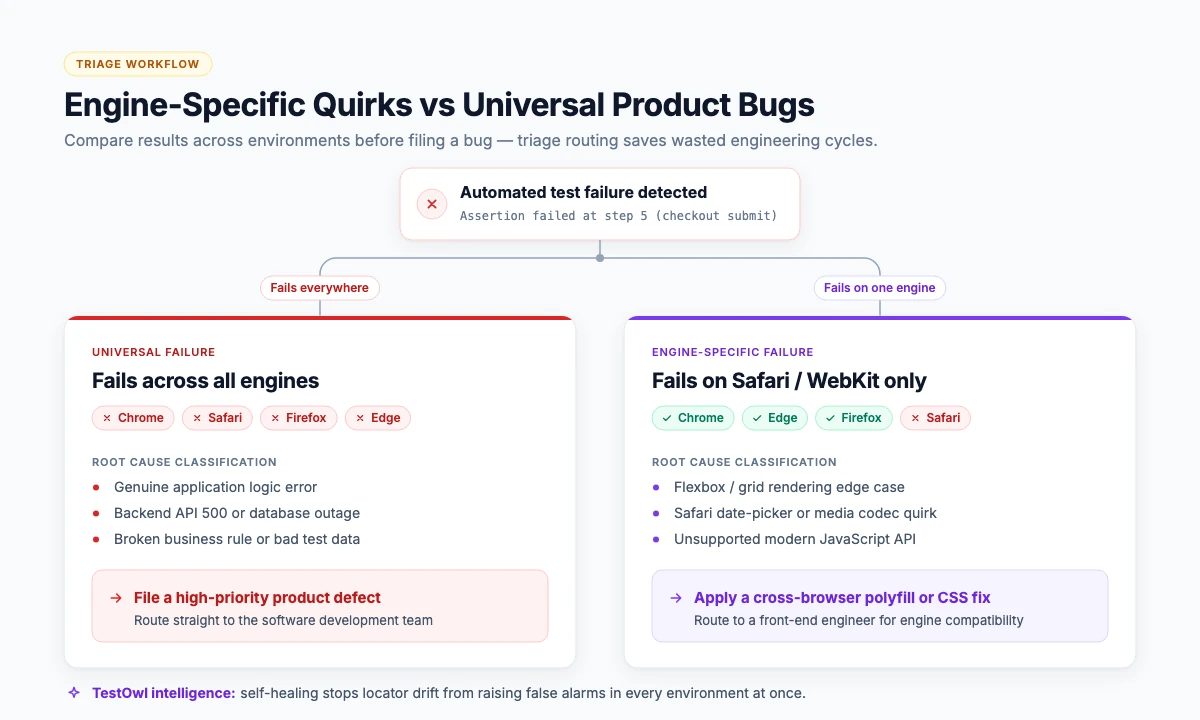
- Root-cause reporting. The report distinguishes an engine-specific difference from a genuine product bug.
- Hard DOM handled. Shadow DOM, nested iframes, drag-and-drop and data grids behave differently across engines; TestOwl handles them natively.
- Cloud or on-premise, including private deployment.
Key takeaways
- Three rendering engines — Blink, WebKit, Gecko — are why cross-browser testing still exists.
- Build the matrix from your own analytics, in three tiers.
- Automate the regression matrix; keep humans for visual judgement.
- Run in parallel, or the suite becomes too slow to run every release.
- Compare across environments before raising a bug: engine-specific and universal failures need different fixes.
Frequently Asked Questions
Cross-browser testing is checking that a web application behaves the same across different browsers, versions, operating systems and screen sizes. It catches rendering differences, broken layouts, script errors and input behaviour that appear in only one browser engine.
Cross-browser testing covers browsers and their versions. Compatibility testing is broader and includes devices, operating systems, screen sizes and network conditions. Most teams run both from one automated suite by varying the environment.
Start from your own analytics. Cover the browsers used by roughly the top 80 percent of traffic with a full regression suite, the next 15 percent with a smoke suite, and the long tail with a visual check before major releases.
Yes. Record or script the journey once, choose the browser and device matrix, and run the tests in parallel. Automation is the only practical way to cover more than a handful of combinations in every release.
Usually fewer than vendors suggest and more than teams assume. Four browsers and six to eight device profiles covers most B2B products; consumer products in mobile-first markets need a wider device list.
Functional automation catches broken behaviour rather than subtle visual drift. For layout differences add visual comparison against a baseline, and keep a human review before major releases.